

Architecture overview
Client
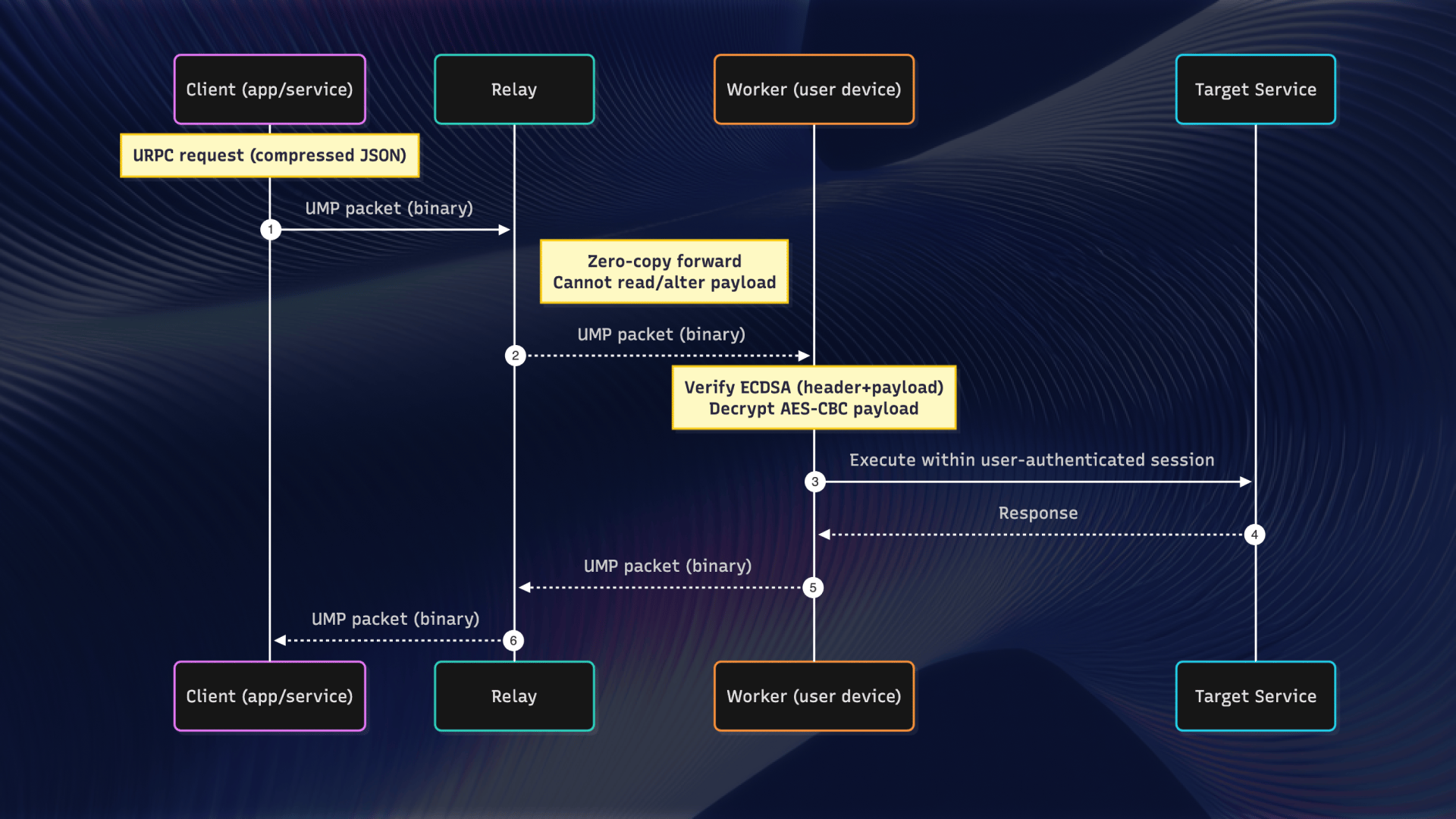
The Client is your main entry point for Uplink automation. It manages the WebSocket connection to the Uplink relay server and provides methods for launching browsers and managing devices.- Maintaining the WebSocket connection to the session
- Managing device connections
- Launching and connecting to browsers
- Emitting device connection events
Devices (Workers)
A Device (also called a Worker) represents a physical mobile device connected to your session. Each device can host multiple browser instances.- Each device has a unique address for identification
- Devices can be iOS or Android
- Multiple browsers can run on a single device
- Devices connect through either the SDK or Connect app
Device lifecycle events
Browsers
A Browser represents a browser instance running on a device. Each browser can have multiple pages (tabs) open simultaneously.- Each browser runs in its own isolated context
- Browsers persist until explicitly closed
- You can reconnect to browsers by their handle
- Multiple browsers can run on the same device
Pages
A Page represents a browser tab or window. This is where most of your automation happens—navigation, interaction, JavaScript execution, and more.- Pages are isolated from each other
- Each page has its own JavaScript context
- Pages can be shown/hidden independently
- Event listeners can be attached to monitor page activity
Hierarchy and relationships
The hierarchy of Uplink components:- You can access browsers from either the Client or Device level
- Pages are always accessed through their parent Browser
- Device connections are managed at the Client level
Sessions
A Session is the authenticated connection that ties everything together. Sessions are created programmatically using your OAuth client credentials and provide the communication channel between your code and the devices.- Created using OAuth client credentials from your Uplink Console
- Scoped to specific projects for organization
- Multiple devices can connect to a single session
- Sessions persist until the client connection is closed
Common patterns
Single device automation
Multi-device automation
Managing multiple pages
Next steps
Sessions
Learn about session management
Device management
Managing multiple devices
Page API
Explore page automation methods
Client API
Full Client API reference